Audio Classification — Export & Deploy
The Export & Deploy tab is organised into five panels: Posterior Parameters, Local Model, Global Model Files, Package Config, and Synpkg Tools.
Posterior Parameters
| Mode | Description |
|---|---|
| Grid Search | Sweeps all Smoothing × PH Window × PH Threshold combinations automatically. Best combination embedded in .synpkg. Recommended. |
| Per-Class (Manual) | Assign values per class manually. No search was performed. |
| Parameter | Description |
|---|---|
| Smoothing | List e.g. [1, 3]. Larger values suppress short transients but increase latency. Default: [1, 3] |
| PH Window | List e.g. [1, 3]. Longer windows require more sustained score elevation. Default: [1, 3] |
| PH Threshold | List of floats e.g. [0.9, 0.95, 0.99]. Higher = fewer false positives. Default: [0.9, 0.95, 0.99] |
Always click Save Settings after any change before proceeding to conversion.
Project
Converts a locally trained .h5 model to a .synpkg. Browse to the .h5 file, select Project Type (Audio Classification or Time Series Classification), then click "Convert to .synpkg".
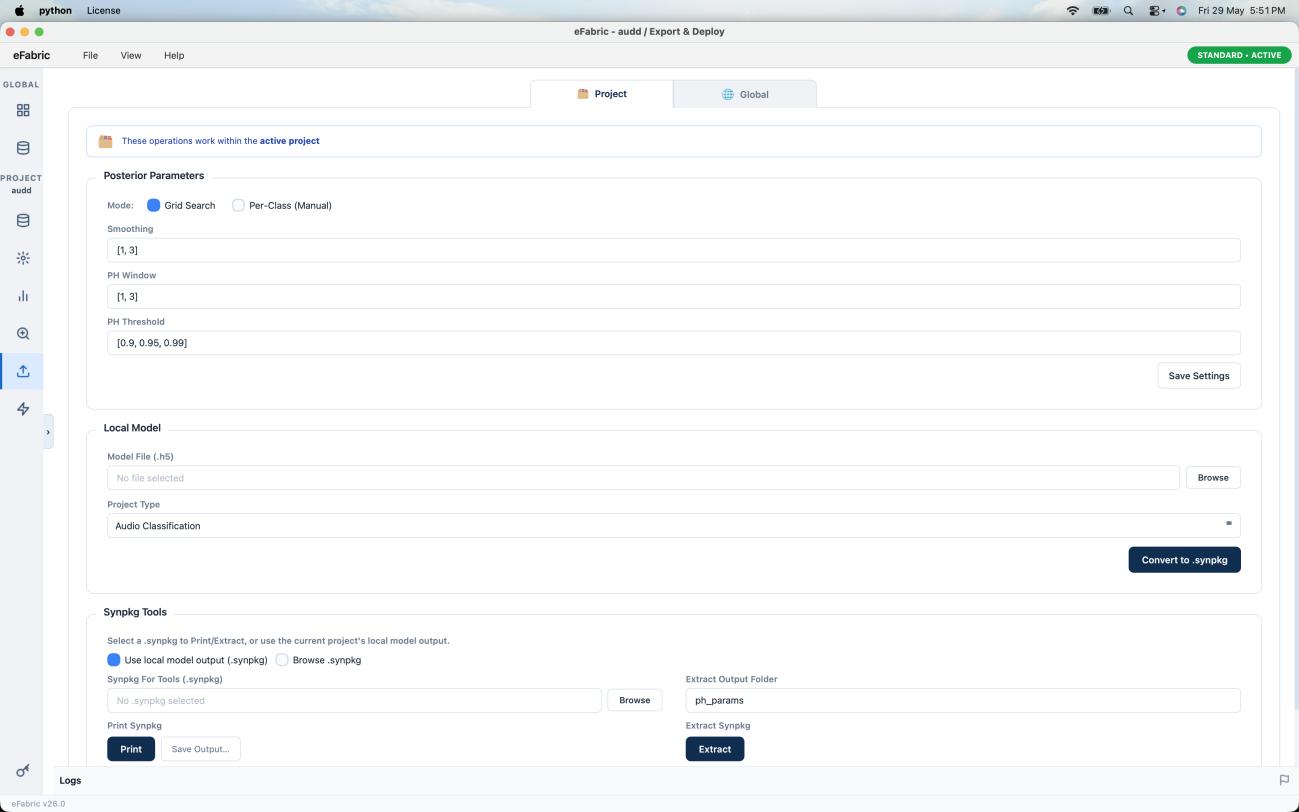
Save Posterior Parameters before converting — those settings are embedded into the .synpkg.
Global
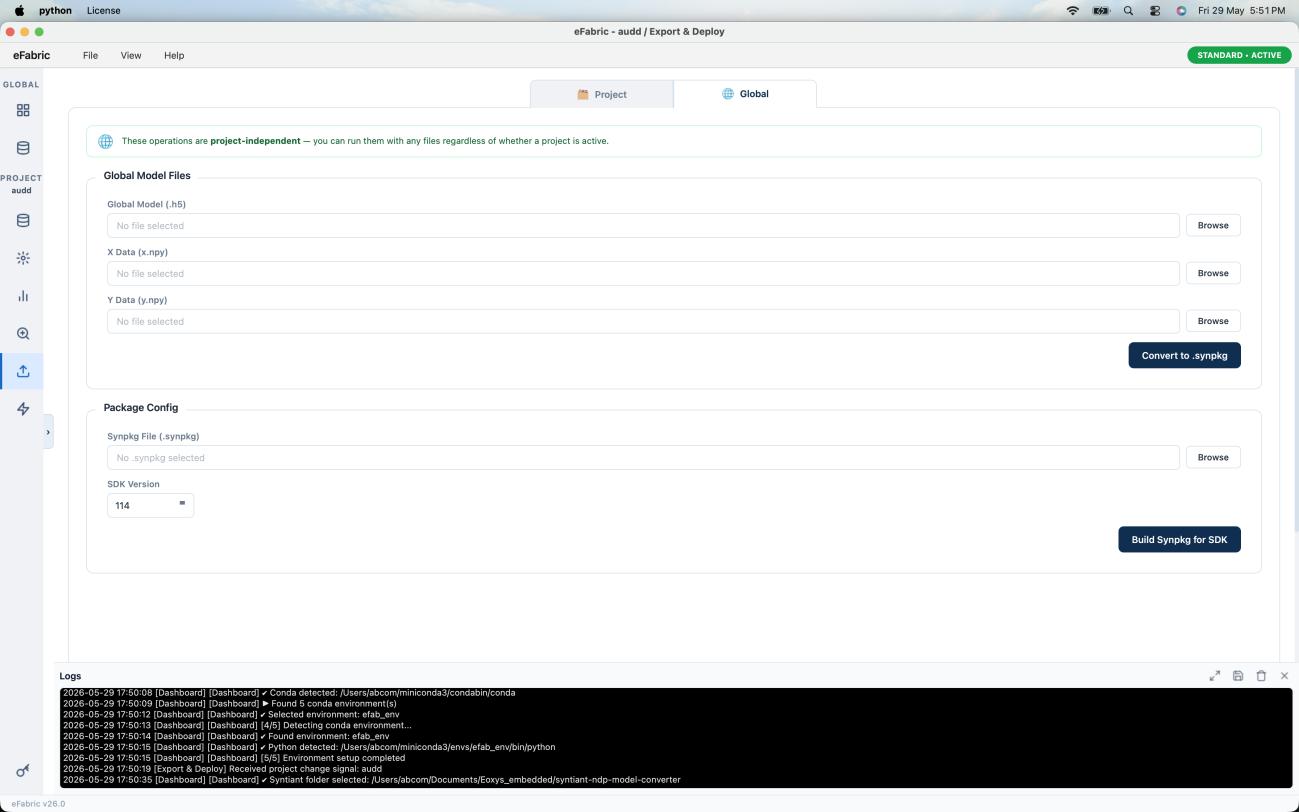
| Input File | Purpose |
|---|---|
| Global Model (.h5) | Neural network weights for an externally trained model |
| X Data (x.npy) | Feature array — verifies input dimensions |
| Y Data (y.npy) | Label array — provides class mapping for the output package |
All three files must be selected. Mismatched feature dimensions will cause conversion to fail.
Package Config
Rebuilds an existing .synpkg targeting a specific SDK version (integer, e.g. 114). Use when deploying to devices running a different firmware release.
Synpkg Tools
| Option | Description |
|---|---|
| Use local model output (.synpkg) | Auto-uses the .synpkg from Local Model conversion |
| Browse .synpkg | Opens a file browser to select any .synpkg |
Print outputs a human-readable metadata summary. Extract unpacks binary sections into individual files — useful for inspecting model weights, label maps, and config blobs.
Step-by-Step Workflow
- Open Export & Deploy Tab
- Set Posterior Parameters mode and values → click Save Settings
- Project: browse to
.h5→ click Convert to .synpkg - Global: browse to
.h5,x.npy,y.npy→ click Convert to .synpkg - Optionally use Synpkg Tools to inspect or extract the output
- Monitor the Logs panel throughout